
Unlock 46+ Klaviyo systems, resources, and SOPs (100% free!)
Grab the exact systems and SOPs we use with our clients you can apply to your own store. This includes:


And much much more…

Blog
In-Depth Resources On How To Grow Your Business With Klaviyo
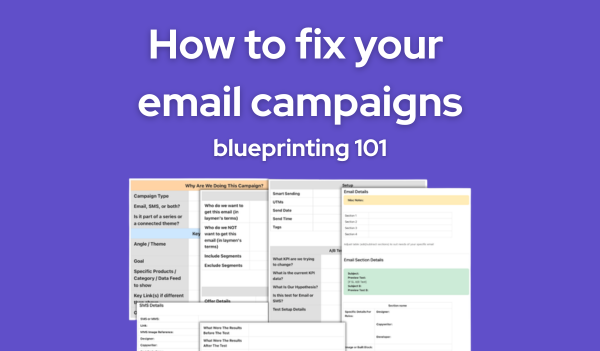
Why your email campaigns are inconsistent (and how to fix it)
Why your email campaigns are inconsistent (and how to fix it)
We audited a Klaviyo account last month, where the team was sending two campaigns a week. Solid cadence. Good segments. Decent design. But when we asked them to walk us through how a campaign goes from idea to inbox, the answer was basically “we figure it out as we go.”
That’s why the results were all over the place. There was no documented plan behind any of it, no clear objective per send, no defined audience logic, no section-by-section breakdown for the copywriter and designer to follow. Every campaign was improvised from scratch, and the numbers reflected it.
Email Blueprinting is the process we use at FlowCandy to plan every campaign in detail before any creative work begins. We’ve been using it across hundreds of brands, and we’re giving the whole thing away for free.
Here’s why your campaigns are inconsistent and the five-step system that fixes it.
We turned this entire process into a free template you can copy and drop into your team’s workflow today. Grab it at the end of this post.
Campaign blueprinting is the planning layer that sits between “we have a campaign idea” and “let’s start building,” a structured document where you map out every decision about a campaign before your designer opens Figma or your copywriter starts drafting.
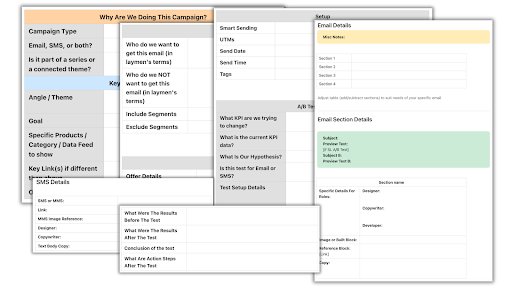
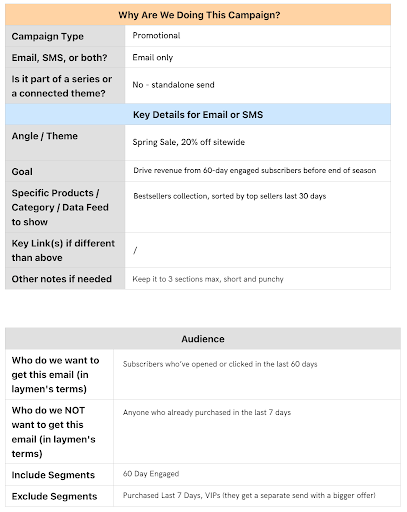
Our template covers the full scope of a campaign send. Here’s what gets filled out before anyone touches creative:
Every field says “leave nothing blank” because that’s the point. If you can’t fill in a field, you haven’t thought the campaign through yet.
This is the part that separates teams who are winging it from teams who are building a system.
When you sit down and fill out the campaign purpose, audience, and offer sections before any creative work starts, you’re forcing yourself to answer the hard questions upfront. Why are we sending this? “Because it’s Tuesday and we need to hit our send cadence” isn’t a good enough answer. What’s the actual goal? Driving a specific product, reactivating lapsed customers, building hype for a launch?
The blueprint forces you to name the goal before you start executing against it, and that one shift changes the quality of everything downstream.
We’ve seen brands where the copywriter and designer are building an email without even knowing what segment it’s going to, or where the team can’t agree on whether there’s a discount until the email is halfway done. The blueprint eliminates those mid-build conversations by front-loading them. By the time your creative team touches the campaign, every strategic decision has already been made and documented.
Telling your team “make it look good” or “write something compelling” without showing them what you actually mean is a recipe for revision rounds.
Our blueprint template has a reference block field for every section of the email. That means you can:
• Link to a specific email you’ve seen that nails the vibe you want
• Screenshot a competitor’s campaign and drop it right into the brief
• Pull from email archive sites so your designer has real examples, not guesswork
When a designer has reference emails that show the aesthetic you’re after, the first draft comes back much closer to final. The same goes for copywriters: if they can see the tone and structure you want, they write tighter and faster. It takes ten minutes to pull references, and it cuts revision cycles significantly.
Here’s where most teams burn time: they build the full email, send it for review, get a round of feedback, rebuild half of it, send it again, get more feedback, and repeat until the campaign is three days late.
The fix is getting approval at the right stages, and here’s the order we follow:
1. Fill out the blueprint and get sign-off on strategy, audience, offer, and section plan
2. Build design mockups and get approval before anything gets coded
3. Build the email in Klaviyo
4. Run the QC checklist
5. Send
When your client or boss signs off on the blueprint first, you’ve already eliminated most of the feedback that would’ve come later. Whatever feedback does come after the build is about execution details (font size, image crop, word choice) rather than strategic direction.
The most expensive feedback is the kind that comes after you’ve already built the thing.
Your blueprint doesn’t end when the email is designed and coded. The last step before hitting send is a quality control pass, and it needs to be systematic because this is where the small, expensive mistakes hide.
Here’s what we check on every campaign before it goes live:
It’s not glamorous work, but it’s the difference between a clean send and a “sorry, here’s the correct link” follow-up that nobody wants to send.
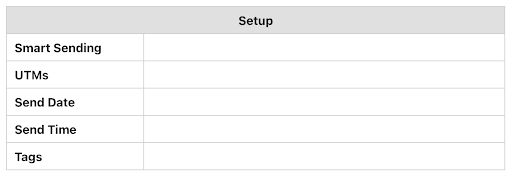
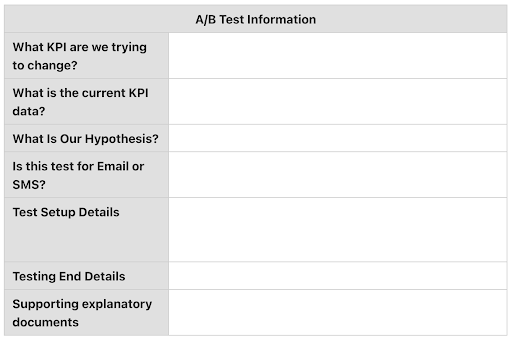
The blueprint template includes an A/B test section for a reason. Every campaign is an opportunity to learn something, but only if you’re structured about it.
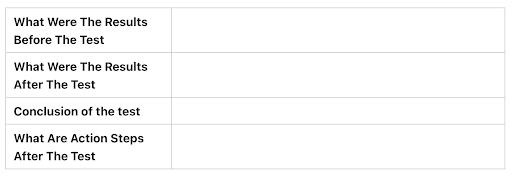
Before you run any test, the A/B test section asks you to define what KPI you’re trying to change, what the current data looks like, what your hypothesis is, and the specific test setup. Then, after the send, you fill out the post-mortem with the results, your conclusion, and your action steps for next time.
This is where most teams fall off. They’ll run a subject line test, see that version B won, and move on without documenting why it won or what they’ll do differently next time. The post-mortem section forces that documentation, and over time, you build a library of tested insights that actually compound.
We’re also big fans of Klaviyo Dashboards for ongoing reporting because you only have to set them up once. Pin them somewhere your team (or your boss) can find them, and you don’t have to manually pull numbers every week.
Everything in this post (the campaign blueprint template, the QC checklist, the A/B test and post-mortem structure) is available for free. We also recorded a full training video that walks through the entire process with live examples.
Download the free blueprinting template and resources at flowcandy.com/blueprint-downloads
Does email blueprinting work if I’m a solo operator without a team?
Yes. Even if you’re doing strategy, design, copy, and sending all by yourself, the blueprint forces you to separate the thinking from the doing. You make all your strategic decisions in one sitting, then execute against a clear plan instead of making it up as you build.
How long does it take to fill out a campaign blueprint?
Fifteen to twenty minutes once you’ve done it a few times. The first couple take longer because you’re learning the format. But those twenty minutes save you an hour or more in revision rounds and second-guessing during the build.
Can I use this template outside of Klaviyo?
The template is platform-agnostic. The fields (campaign purpose, audience, offer, A/B test, email sections) apply to any email platform. We built it for Klaviyo because that’s what we work in every day, but the structure works anywhere.
Do I need to blueprint every single campaign?
We do. Every campaign at FlowCandy goes through this process. But if you’re just starting out, begin with your highest-stakes sends, product launches, promotions, seasonal campaigns, and expand from there.
You now have the same campaign planning process we use across every brand we work with at FlowCandy. It maps out every decision before creative work starts, gives your team clear direction, catches mistakes before they go live, and builds a record of what you’ve tested and learned along the way.
Remember that account sending two campaigns a week with no documented plan behind any of them? That’s most eCommerce brands. The difference between inconsistent email marketing and email marketing that compounds over time is the system behind it.
Go grab the template, copy it into your workflow, and blueprint your next campaign before you build it. It’s free. Download it at flowcandy.com/blueprint-downloads

Join the Newsletter
Subscribe to get our latest email marketing guides
We won't send you spam. Unsubscribe at any time


