12 Ways to Fix Email Deliverability and Get Out of Spam (2026 Guide)
12 Ways to Fix Email Deliverability and Get Out of Spam (2026 Guide)
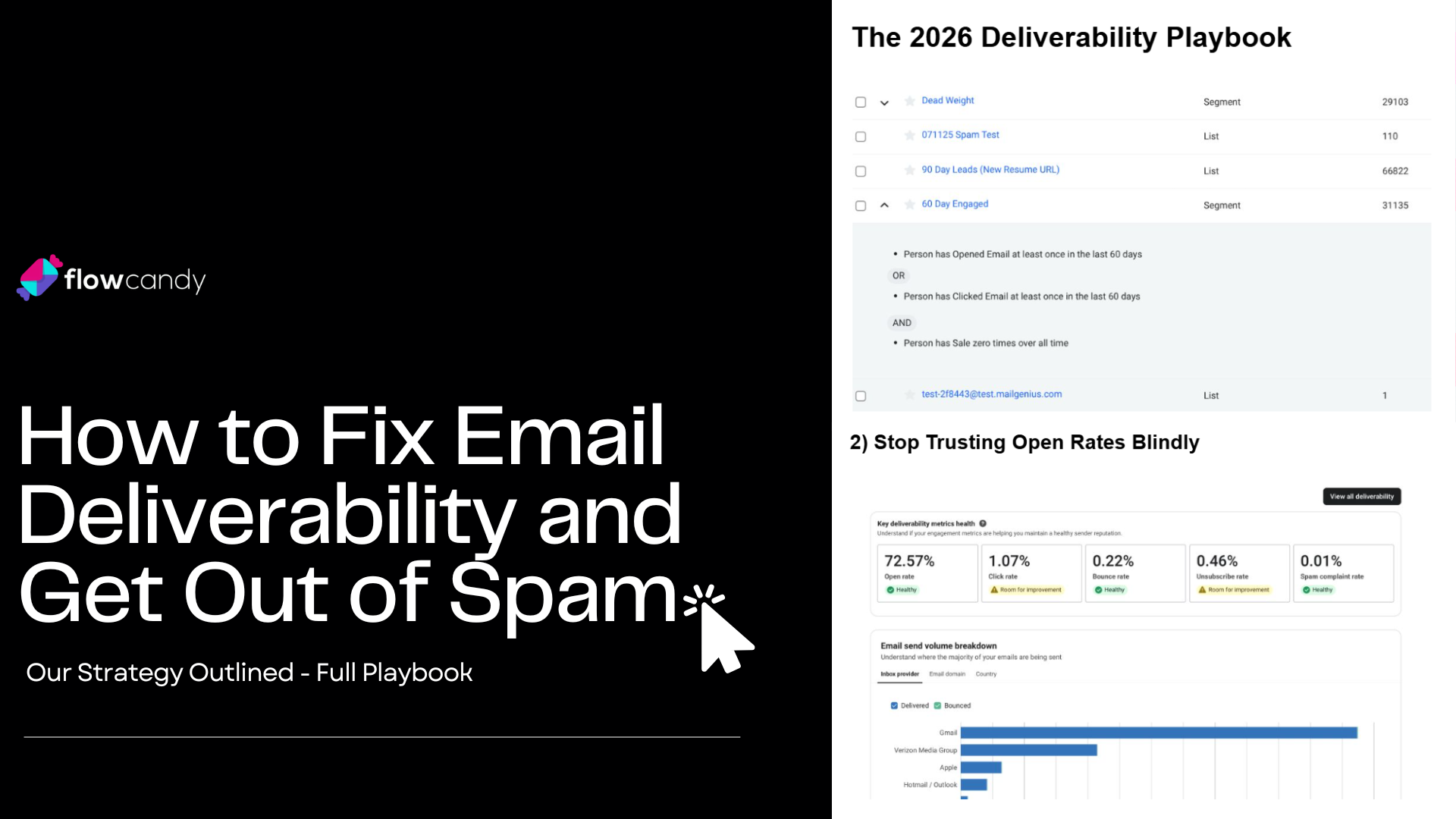
Click on the image to view our full playbook! ^
If your emails are suddenly hitting the spam folder, take a deep breath—it’s usually not just one "magic button" that’s broken. It’s normally a mix of your list quality, your technical setup, or just weak engagement.
The good news? Most deliverability headaches are fixable if you tackle them in the right order. Here’s a friend-to-friend guide on how to get back into the inbox.
1. Audit Your List and Segmentation First
This is the first place I always look. A lot of reputation issues come from blasting people who haven't opened an email in years or sending to old "sweepstakes" leads. For most brands, the rule is simple: don't blast the whole database. Send to your most engaged people first and "earn" your way back out to the rest of the list.
2. Stop Trusting Open Rates Blindly
Apple’s Mail Privacy Protection (MPP) makes open rates look way better than they actually are because it generates "fake" opens. Because of this, you shouldn't rely on opens alone to decide who is "engaged." In 2026, keep a much closer eye on your click rates, conversion rates, and revenue per recipient.
3. Check Your Authentication (SPF, DKIM, DMARC)
If your technical "IDs" are broken, fix those before you do anything else. Google and Yahoo have made SPF, DKIM, and DMARC absolute non-negotiables for bulk senders. These essentially prove to the inbox providers that you are who you say you are and that your emails haven't been tampered with.
4. Make Sure One-Click Unsubscribe is Actually Working
This matters more than ever now. For marketing emails, Gmail and Yahoo require a "one-click" unsubscribe header—not just a tiny link in your footer. Never hide your unsubscribe button or force people through a long survey; a clean unsubscribe is always better than a spam complaint.
5. Keep an Eye on Your Complaint Rate
If people are marking you as spam, it’s the fastest way to tank your reputation. Google wants you to stay below 0.10%—if you hit 0.30%, you’re in the danger zone. Use tools like Google Postmaster to see exactly what your "spam score" looks like in their eyes.
6. Give Your List a Good Scrub
If you have any doubt about the quality of your leads—especially from giveaways or old imports—run them through a list validator. This catches risky or invalid addresses before they bounce and hurt your standing. Remember, poor list quality will beat great creative every single time.
7. Reduce Your Volume and "Re-Warm"
If you’re already in the doghouse, don’t keep blasting. Sending more email to fix a revenue drop is the worst thing you can do. Instead, pause the broad sends and only message your "hottest" 30-day or 60-day segments until your metrics look healthy again.
8. Does a Dedicated IP Actually Make Sense?
A dedicated IP isn't a "get out of jail free" card. It gives you more control, but only if you send a high, consistent volume of email. For a lot of smaller brands, staying on a shared IP is actually better because you benefit from the "community" reputation of other good senders.
9. Clean Up Your Content and Templates
Content isn't usually the only reason you're in spam, but it can make things worse. Avoid "spammy" subject lines, broken HTML, or using "no-reply" addresses. Keep things human, use a recognizable sender name, and try to balance your text-to-image ratio.
10. Separate Your Promo and Transactional Mail
Don't let a "blast" campaign drag down your order confirmations. If possible, use different subdomains or streams for your marketing emails versus your transactional ones (like receipts). This protects your most important customer communications if your marketing reputation takes a hit.
11. Watch Out for "Quiet Killer" Lead Sources
Sometimes deliverability issues start way before you hit "send." If you're running a specific popup or an influencer giveaway, audit the bounce and complaint rates for those specific leads. You might find that one single source is poisoning your entire account.
12. Use a Real Recovery Plan
If you're in trouble, stop trying random fixes. Start with a "7-Day Triage" to fix your technical setup and pause broad sends. Then move into a "14-to-30-Day Recovery" where you slowly expand your volume as you rebuild trust with the inbox providers.
At the end of the day, you can have the most beautiful designs and the most persuasive copy in the world, but if nobody sees them, they don’t exist.
Deliverability isn't just a "tech task" to check off your list; it is the foundation of your entire email revenue stream. If you’re landing in spam, you’re essentially leaving money on the table every single time you hit send.
If you’re struggling right now, don't panic. Start with the technical basics (SPF/DKIM), clean up your list, and focus on sending value to the people who actually want to hear from you. You’ll be surprised how quickly the inbox providers start trusting you again when you stop acting like a "sender" and start acting like a brand.
Q: If my technical setup (SPF/DKIM) is perfect, why am I still going to spam?
Think of authentication as your "digital passport". It proves you are who you say you are, but it doesn't guarantee you're a good guest. Even with a valid passport, you'll be blocked if your behavior—like high spam complaint rates or poor list hygiene—suggests you're sending unwanted mail.
Q: Is it time to delete everyone who hasn't opened an email in 3 months?
Not necessarily. In 2026, "opens" are a bit of a lie because of Apple’s Mail Privacy Protection (MPP), which can trigger fake opens or hide real ones. Instead of a mass deletion, try a re-engagement campaign first. Use deeper metrics like "clicks," "website visits," or "last purchase date" to decide who's actually worth keeping.
Q: Doesn't "One-Click Unsubscribe" make it too easy for people to leave?
It does make it easy, and that’s actually a good thing for your business. If someone wants to leave and can’t find the exit, they’ll hit the "Report Spam" button instead. An unsubscribe just shrinks your list by one; a spam complaint damages your ability to reach the rest of your audience.
Q: How long will it take to get my reputation out of the gutter?
If you stop the "batch and blast" approach and switch to sending only to your most engaged fans, you can usually start seeing the inbox again in 14 to 30 days. If you’re moving to a totally new dedicated IP, plan for a "warming" period of about 30 to 40 days to build trust slowly.
Q: Should I use a "no-reply" address for things like order confirmations?
Honestly, I’d avoid it. Modern inboxes look for signs of two-way conversation to determine if a sender is trustworthy. A "no-reply" address tells the filter (and your customer) that you aren't interested in engagement, which can hurt your overall sender score over time.
Most email teams know they should be testing. But they're either testing the wrong things or can't make sense of the results.
At FlowCandy, we help ecommerce brands build disciplined Klaviyo systems that improve both engagement and revenue. We'll show you which experiments to run first, how to track what matters, and how to scale what's working without burning out your list.
If you’re ready to stop the "spam folder" stress and want a pro to just handle it for you, let’s talk.
Book a free deliverability audit call here.
